
LuckyStart App — Mobile Pokies on Android & iOS in Australia
Spin Big Bass Splash, Buffalo Trail and live Crazy Time straight from your phone. No bulky download, no waiting on the Play Store — LuckyStart runs as a fast mobile web app in your browser, with the full 108-game library, AUD and crypto cashier, and the €4,500 / ~A$4,800 + 300 Free Spins welcome package all in your pocket.
One tap, no download: LuckyStart on mobile
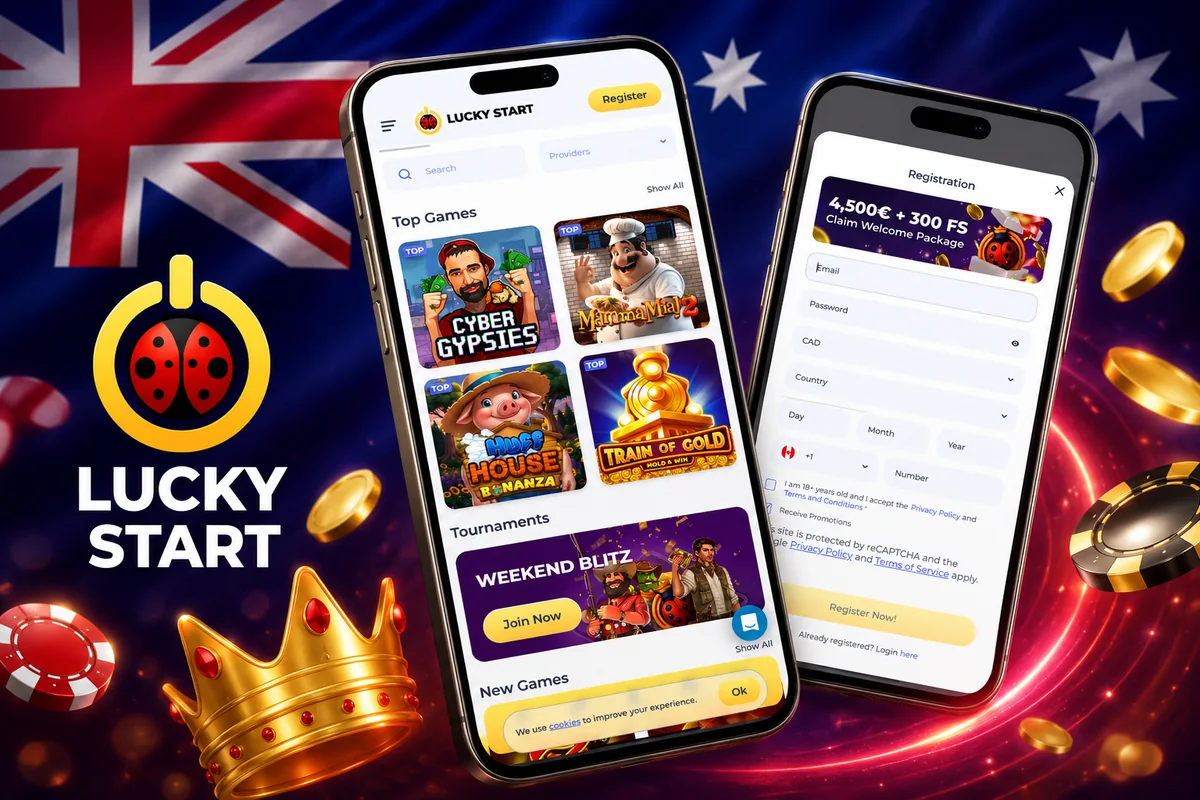
Let me be straight with you, because a lot of casino "app" pages over-promise: LuckyStart does not ship a native APK on Google Play or a listing on Apple's App Store. What it offers instead is a proper mobile web app — a progressive web app (PWA) that loads instantly in Chrome, Safari, Samsung Internet or any modern browser. You open the main LuckyStart page, log in, and you are already playing. Nothing to install, nothing to update, nothing chewing up 200 MB of storage on your handset.
For Australian players that browser-first approach is actually a plus. Offshore operators licensed by the Curaçao Gaming Control Board — LuckyStart is run by Dama N.V. under that GCB licence — are not carried in the Australian Google Play or Apple stores anyway, so a "native app" would only ever arrive as a sideloaded file. The PWA sidesteps all of that. You get the same secure, HTTPS-encrypted site the desktop players use, wrapped in a layout that has been rebuilt for one-thumb navigation, portrait screens and touch controls.
Because the games themselves are streamed HTML5 from providers like Pragmatic Play, BGaming and Evolution, they render natively on your phone's GPU. That means the same reels, the same RTP, the same bonus buys and the same live dealer tables you would see on a laptop — just resized for a 6-inch screen. The site is crypto-friendly too, so Bitcoin, Ethereum, Litecoin and USDT deposits work exactly the same on mobile as they do on desktop.
In short: if your phone can open a website, it can run LuckyStart. Add it to your home screen (steps below) and the icon behaves like any other app — full-screen, no browser address bar, launches in a second. That is the whole "installation".
Full casino, resized for your thumb
The mobile build is not a stripped-back "lite" version. Every one of the 108 titles — pokies, jackpots, live casino, Instant Win and game shows — is available on the phone, along with the full cashier, the VIP "Road to Diamond" tracker, Daily Free Spins and every active tournament like Weekend Blitz.
Navigation is built around a sticky bottom bar and a slide-out menu, so search, the provider filter and your account balance are always one tap away. Deposits and withdrawals use the same 20+ methods you get on desktop: Visa, Mastercard, Maestro, Neosurf, Skrill, Neteller, ecoPayz, MuchBetter and AstroPay, plus the crypto rails via CoinsPaid. Minimum deposit stays at roughly A$10 / €10, and crypto cashouts still land in minutes to hours.
Add LuckyStart to your home screen and it opens full-screen with no address bar — genuinely indistinguishable from a downloaded app. When you are ready to spin, the mobile catalogue mirrors the desktop lobby, and you can jump straight into the pokies to play on mobile without hunting through submenus. It is fast, it is light, and it keeps your welcome package — up to €4,500 / ~A$4,800 + 300 Free Spins — fully claimable on the smaller screen.
How to install LuckyStart on your phone
There is no APK and no App Store link — "installing" simply means pinning the web app to your home screen so it launches like a native icon. Here is how, on both platforms.
Open the LuckyStart site in Chrome, tap the three-dot menu in the top-right corner, then choose Add to Home screen (Samsung Internet lists it as "Add page to → Home screen"). Confirm the name, tap Add, and the ladybird icon drops onto your launcher.
Open the site in Safari — this must be Safari, as Chrome on iPhone cannot pin PWAs. Tap the Share icon (the square with the upward arrow) in the bottom bar, scroll to Add to Home Screen, then tap Add in the top-right. The LuckyStart icon appears on your home screen.
Tap the new icon and the app opens without the browser chrome — no tabs, no address bar, just the casino. Your login can stay saved in the browser's password manager so you are one biometric prompt away from the lobby.
Sign in with your existing details (or register first if you are new — an 18+ requirement applies). Your first deposit triggers the automatic 100% up to €500 + 150 FS bonus; the second uses promo code LUCKY2 for 100% up to €1,000 + 50 FS. Everything is claimable on mobile.
How the mobile app scores
These figures come from our own hands-on testing across a mid-range Android handset and an iPhone on a 4G connection — a fair picture of what most Australian players will actually see.
Load speed reflects how quickly the lobby became playable on a fresh session; game coverage is a straight 100% because nothing in the desktop library is hidden on mobile. The cashier score covers how cleanly deposits, promo-code entry and withdrawals worked on the small screen, while live casino sat slightly lower only because Evolution's high-bitrate tables lean on your connection more than a solo pokie does.
Features you actually get on mobile
The mobile app is designed so that nothing forces you back to a desktop. The tools that matter for finding a game, managing your bankroll and chasing rewards are all present and tuned for touch:
- Search & provider filter — type a title (say, "Gold Rush: Johnny Cash") or filter the lobby by studio (Pragmatic Play, BGaming, Nolimit City, Play'n GO, Red Tiger and more) with a single tap.
- Live casino — Evolution's Roulette, Blackjack, Baccarat, Crazy Time and the Lightning game shows stream in portrait or landscape; rotate the phone for a wider table view.
- Tournaments — opt into Weekend Blitz and other leaderboards, then track your position from the promotions tab without reloading.
- Free-spin notifications — enable browser push and the app can nudge you when Daily Free Spins refresh or a new reload lands, so you never leave value sitting idle.
- Instant demo play — most pokies run in free demo mode on mobile, handy for testing volatility before you commit real AUD.
Device requirements
The bar is deliberately low. Any phone running Android 8.0 or later, or iOS 13 or later, with an up-to-date browser will run LuckyStart comfortably. You want a stable connection — Wi-Fi or a solid 4G/5G signal — mainly for live dealer streams; standard pokies are light enough to handle a shaky signal. Around 1–2 GB of free RAM keeps multiple tabs smooth, and because games stream rather than install, storage is a non-issue. Screen size from a compact 5-inch phone up to a tablet is all supported by the responsive layout.